


Sports Scoreboard is a professional live scorebug and scoreboard overlay for OBS Studio and Wirecast on macOS. Perfect for live streaming hockey, soccer, basketball, volleyball, baseball, handball and many other sports.
All scoreboard data is updated in real time and exported as .txt files, making it easy to create live score overlays in OBS using Text (FreeType 2) sources. See the User Guide to get started.
Features:
You can also download ScoreBoard v0.5 for free — a lightweight, stable version from 2021 that’s perfect for trying the software before upgrading to the latest release.

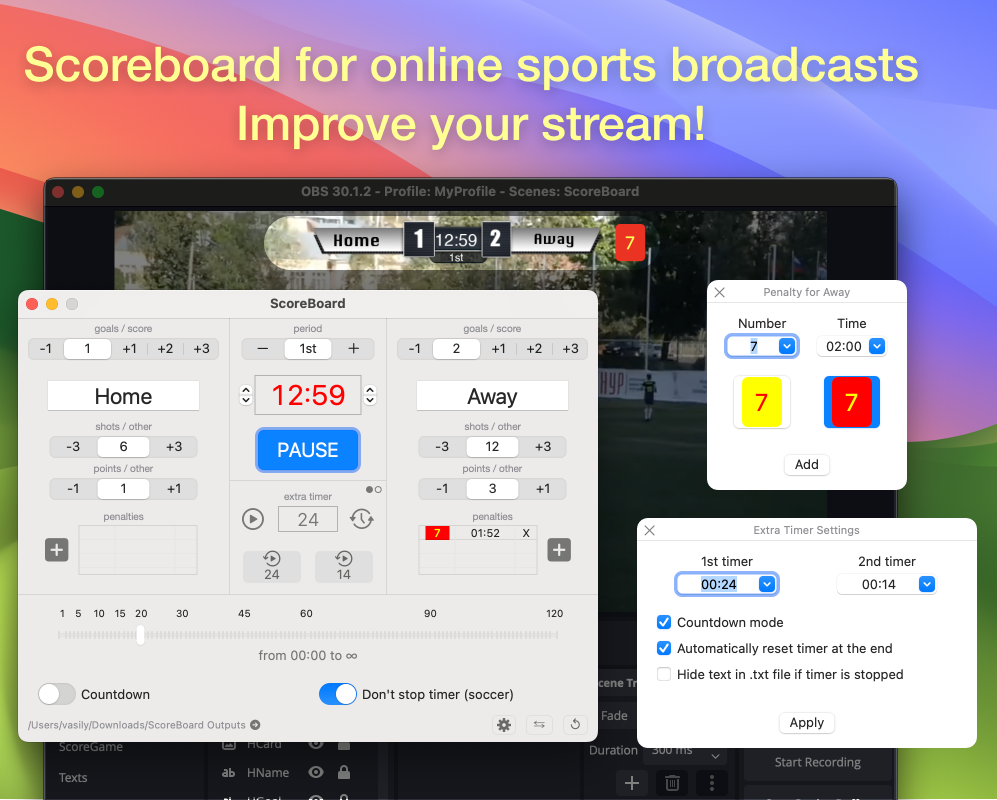
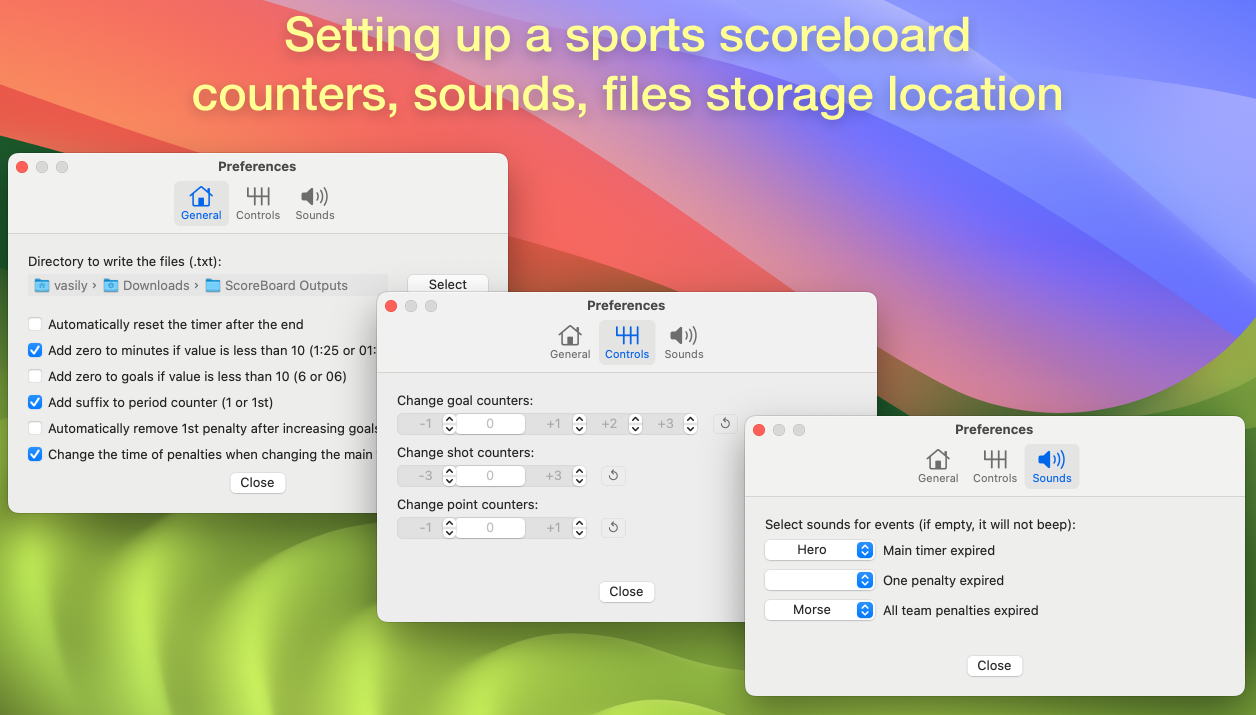
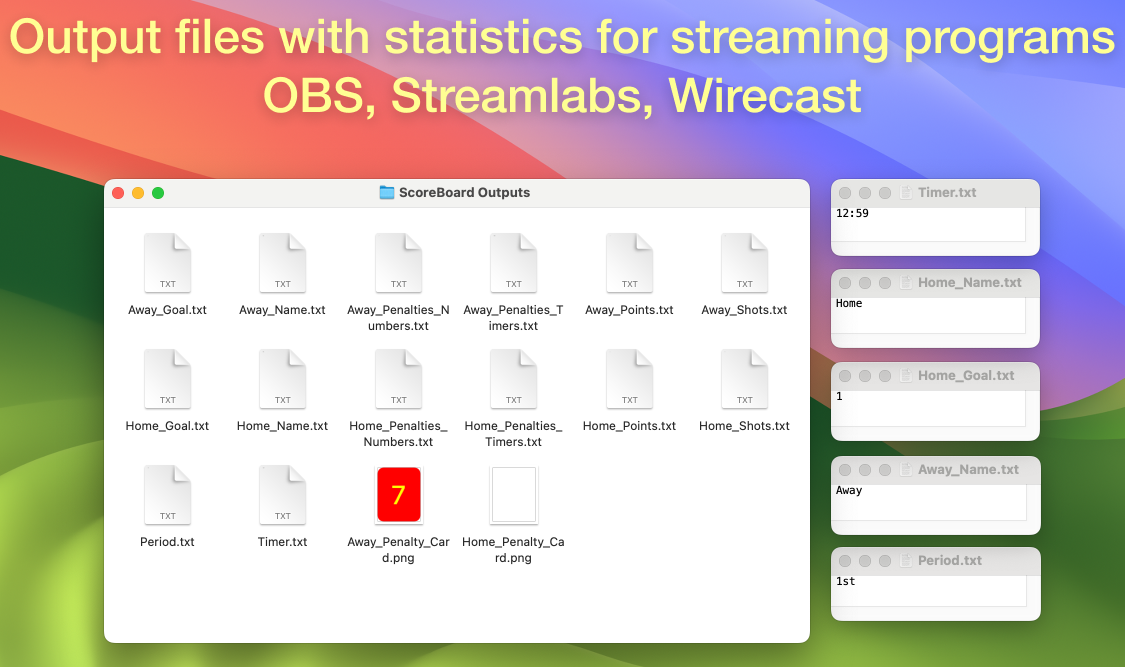

All output data are stored in TXT files on the computer. Each of them can be used in OBS (add source: text) over a picture of any scoreboard. In the settings window (gear icon), you can select the desired directory to save TXT files.
ScoreBoard for OBS on MacOS (video instruction)
Errors, requests and questions are accepted — Support Page.
All scoreboard data is updated in real time and exported as .txt files, making it easy to create live score overlays in OBS using Text (FreeType 2) sources. See the User Guide to get started.
Features:
- Game clock with countdown or stopwatch modes (including tenths of a second support)
- An extra timer with two presets for basketball
- Live score for both teams (goals, points, strikes)
- Period, quarter or inning display
- Home and Away team names
- Custom team status/description with independent show/hide control
- Hockey penalty timers
- Shots, fouls and other team statistics
- Yellow and red cards for soccer
- Team logos and promotional images for Home, Away and Match
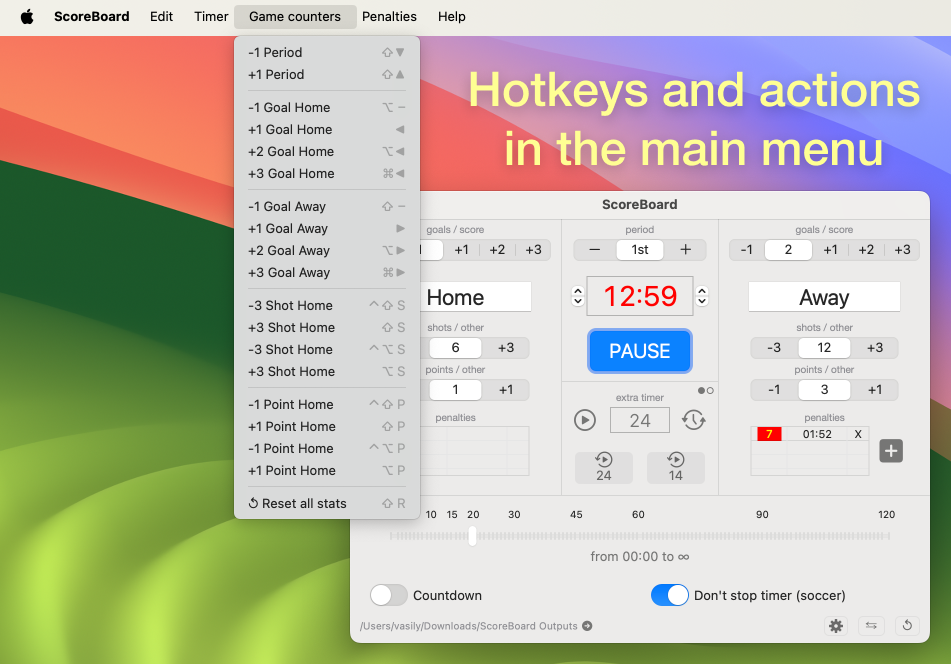
- Hotkeys for fast live control using the keyboard or Stream Deck
- Designed for professional sports broadcasts, live streaming and scorebug overlays
You can also download ScoreBoard v0.5 for free — a lightweight, stable version from 2021 that’s perfect for trying the software before upgrading to the latest release.
All output data are stored in TXT files on the computer. Each of them can be used in OBS (add source: text) over a picture of any scoreboard. In the settings window (gear icon), you can select the desired directory to save TXT files.
ScoreBoard for OBS on MacOS (video instruction)
Errors, requests and questions are accepted — Support Page.


